Last updated: August 31, 2026
Mullvad VPN Review 2026: Is It the Best VPN for Privacy?
Mullvad takes a different approach from most consumer VPN services. Instead of competing primarily on promotional pricing and bundled services, it puts privacy, data minimization, open-source software and technical transparency at the center of the product.
In this review, we examine Mullvad's privacy model, security features, applications, advanced technologies, pricing, streaming and torrenting limitations, and whether it makes sense for everyday users.
One of the strongest choices for users who prioritize privacy and data minimization over streaming features, large device limits or bundled services.
Direct link to Mullvad. No affiliate tracking.
What Is Mullvad VPN?
Mullvad is a privacy-focused VPN service operated by Mullvad VPN AB in Sweden. The company has built its reputation around minimizing the amount of information required from customers rather than collecting a large profile of each subscriber.
Instead of creating a traditional username-and-password account that requires an email address, Mullvad generates a random account number. This is one of the biggest differences between Mullvad and many mainstream VPN services.
The basic concept remains the same as other VPNs: your device establishes an encrypted connection to a VPN server, and internet traffic is routed through that connection.
Mullvad VPN Desktop & Mobile Screenshots
The interface is intentionally straightforward. The main application focuses on connecting to a VPN server, changing locations and accessing privacy-related settings without burying the basic connection controls under unnecessary menus.
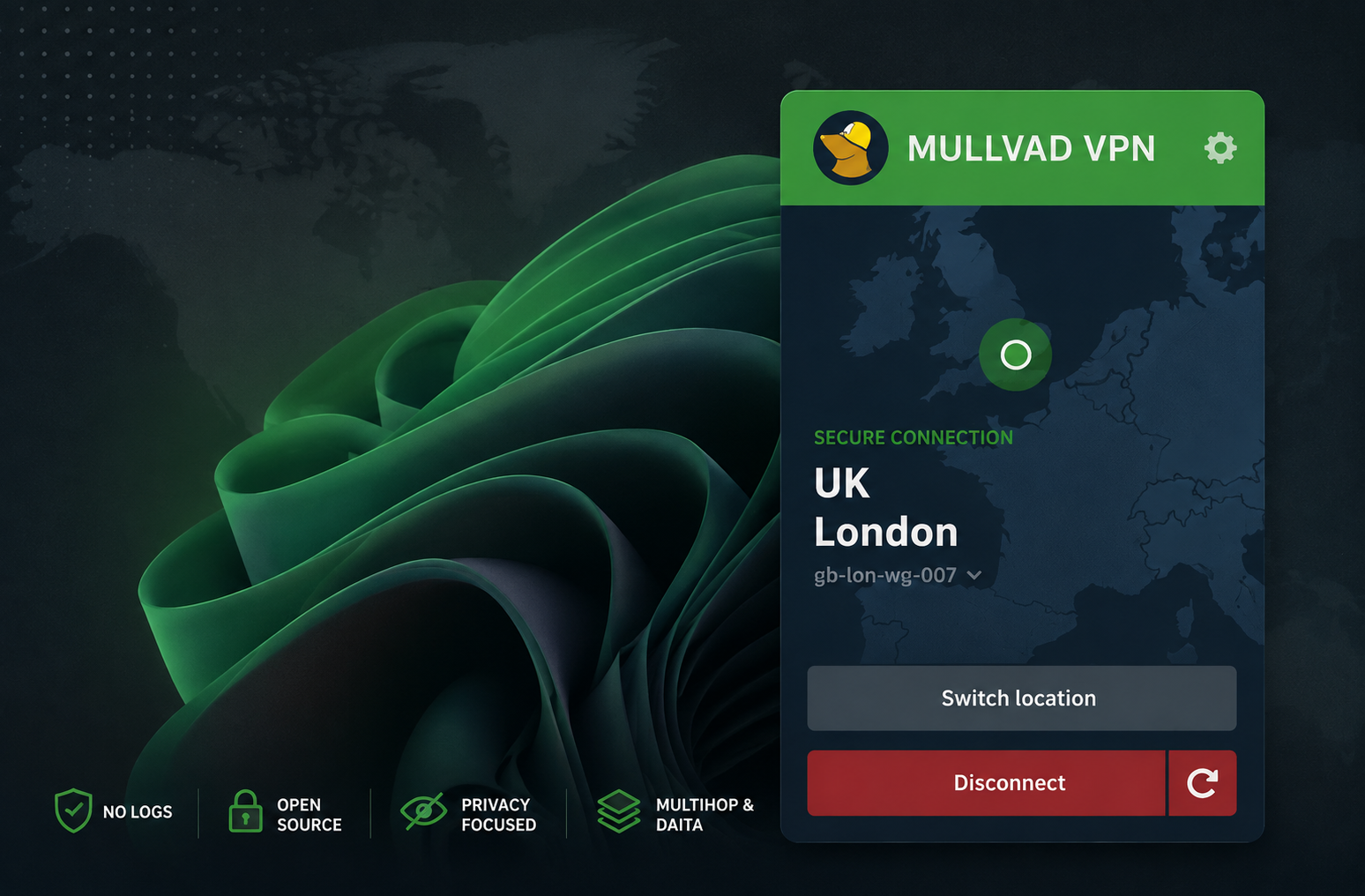
Mullvad VPN on Desktop
The desktop application provides quick connection controls, server selection and access to advanced VPN settings.
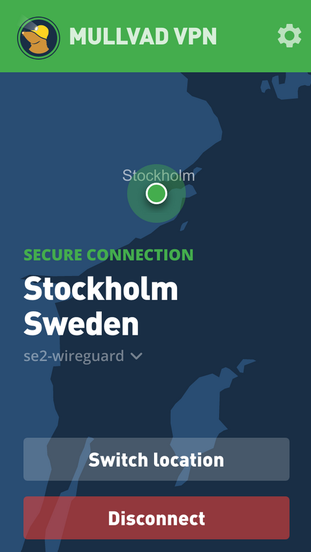
Mullvad VPN on Mobile
The mobile application keeps the core VPN connection experience simple while providing access to privacy and networking features.
Privacy & No-Logging
Privacy is the area where Mullvad differentiates itself most strongly.
Mullvad states that it does not log user activity such as traffic, DNS requests, connection timestamps, IP addresses or bandwidth usage. The service also avoids requiring an email address for account creation.
This is an important distinction because privacy is not only about protecting stored information. It can also be about reducing the amount of information that exists in the first place.
Anonymous Account Numbers
Instead of creating a conventional profile containing your name, username and email address, Mullvad provides a randomly generated account number.
Users should still remember that payment methods can potentially create records outside Mullvad's own VPN account system. The strongest privacy properties therefore depend on how the service is paid for and used.
Does "No Logs" Mean No Data Exists?
No VPN can operate without processing some information. Infrastructure has to authenticate accounts, route traffic, process payments and provide support.
The relevant question is what information is retained and whether that information could be used to reconstruct a user's online activity.
Mullvad Security Features
Mullvad combines modern VPN protocols with several additional protections designed to prevent accidental exposure and strengthen privacy.
WireGuard
WireGuard is Mullvad's primary VPN protocol and provides a modern, efficient encrypted tunnel.
Kill Switch
The application's firewall protections are designed to prevent traffic from silently falling back to the normal network connection when the VPN tunnel fails.
DNS Protection
DNS queries are routed through the encrypted VPN tunnel to reduce the risk of DNS information bypassing the VPN.
Open-Source Apps
Mullvad publishes application source code, allowing researchers and technically capable users to inspect the software.
Independent Assessments
Mullvad commissions independent security assessments of its applications and infrastructure.
Automatic Key Rotation
The applications support automatic WireGuard key rotation as part of Mullvad's security architecture.
Advanced Privacy Features
Lockdown Mode
Lockdown Mode is intended for users who want an especially strict configuration. It can continue blocking internet access even when the VPN application is disconnected or closed.
For everyday users this may be unnecessary. For someone who absolutely does not want traffic leaving the device outside the VPN tunnel, it can be valuable.
Multihop
A conventional VPN connection generally follows this path:
Multihop adds another VPN server:
This can make traffic analysis more difficult, but the additional hop can increase latency and reduce performance.
DAITA
DAITA stands for Defense Against AI-guided Traffic Analysis. It is designed to make encrypted traffic patterns harder to analyze by introducing techniques that obscure characteristics such as packet sizes and traffic patterns.
The trade-off is additional traffic and resource usage. Mullvad specifically warns that DAITA can increase network traffic and battery consumption. :contentReference[oaicite:2]{index=2}
Quantum-Resistant Tunnels
Mullvad also provides quantum-resistant tunnel options designed to address the possibility that encrypted traffic collected today could be targeted by future quantum computing capabilities.
Mullvad made quantum-resistant tunnels the default on desktop platforms in its 2025.2 release, while mobile support is also available. :contentReference[oaicite:3]{index=3}
Apps & User Experience
Mullvad provides applications for Windows, macOS, Linux, Android and iOS/iPadOS. Its applications are designed around a relatively simple connection workflow while still exposing advanced configuration for technical users.
The current Mullvad ecosystem includes features such as Multihop, split tunneling on supported platforms, DNS content blocking, obfuscation options, automatic WireGuard key rotation and quantum-resistant tunnels. :contentReference[oaicite:4]{index=4}
Desktop Experience
The desktop interface is straightforward enough for beginners: select a location and connect. Advanced settings can then be configured if required.
Mobile Experience
The Android and iOS applications provide the core VPN functionality while retaining access to important privacy features. Mullvad's current Android page lists Android 9.0+ support and highlights automatic WireGuard key rotation, split tunneling and its no-logging policy. :contentReference[oaicite:5]{index=5}
Mullvad VPN Pricing
Mullvad's pricing model is one of the simplest in the VPN industry: €5 per month.
The same monthly rate applies whether you purchase one month, a year or a longer period. Mullvad also states that it does not run conventional seasonal sales. :contentReference[oaicite:6]{index=6}
Mullvad accepts several payment methods including cards, PayPal, bank transfers, cryptocurrency and cash. The company also states that accepted cryptocurrencies receive a 10% discount. :contentReference[oaicite:7]{index=7}
Is Mullvad Expensive?
Compared with heavily discounted long-term VPN promotions, €5 per month may not look exceptionally cheap. However, Mullvad's pricing is predictable and does not depend on an introductory discount followed by a higher renewal price.
Streaming & Torrenting
Streaming
Mullvad is not primarily designed around streaming-library access. If your main objective is watching content libraries from multiple countries, another VPN may provide a better overall experience.
This is an important distinction when comparing Mullvad with mainstream VPN providers: Mullvad's strongest selling point is privacy rather than entertainment access.
Torrenting
Mullvad supports P2P traffic, but it no longer supports port forwarding. This means users who specifically depend on incoming connections should consider the limitation before subscribing.
How to Set Up Mullvad VPN
Getting started is relatively straightforward. The exact interface may change between application versions, but the general process is similar.
Create a Mullvad account
Generate an account number through Mullvad's official website. An email address is not required.
Add subscription time
Choose a payment method and add VPN time to the account.
Install the application
Download the official Mullvad application for Windows, macOS, Linux, Android or iOS.
Enter your account number
Log into the application using the generated Mullvad account number.
Connect to a server
Use the default location selection or manually choose a country and server.
Configure advanced settings if necessary
Experienced users can explore Multihop, Lockdown Mode, DAITA, DNS settings and quantum-resistant tunnel options.
Mullvad vs Other Privacy VPNs
| VPN | Main Strength | Best For |
|---|---|---|
| Mullvad | Data minimization | Maximum privacy |
| Proton VPN | Privacy ecosystem | Privacy + broader services |
| NordVPN | Performance + features | All-around use |
| ExpressVPN | Simplicity | Beginners |
| Private Internet Access | Customization | Advanced users |
If privacy is the main objective, Mullvad deserves serious consideration. If streaming, larger device limits or broader consumer features matter more, another VPN may be a better fit.
See our complete Best VPNs for Privacy guide for a broader comparison.
Our Mullvad Ratings
Mullvad VPN Pros & Cons
Pros
- Strong privacy-first philosophy
- No email required for account creation
- Random account numbers
- No-activity-logging policy
- Open-source applications
- Independent security assessments
- WireGuard support
- Kill switch and Lockdown Mode
- Multihop
- DAITA
- Quantum-resistant tunnels
- Simple €5/month pricing
- Multiple privacy-focused payment methods
Cons
- No free plan
- Five-device limit
- No port forwarding
- Not primarily focused on streaming
- Advanced settings can overwhelm beginners
- Long-term promotional discounts are not the focus
Who Should Use Mullvad?
- Privacy-conscious users who want to minimize the information associated with their VPN account.
- Security enthusiasts who want access to advanced privacy technologies.
- Linux users who want a dedicated VPN application.
- Users who dislike complicated pricing and renewal structures.
- Technically knowledgeable users who can take advantage of Multihop, DAITA and other advanced options.
Who Should Consider Another VPN?
Mullvad may not be the ideal choice if your primary goal is maximum streaming compatibility, more than five simultaneous devices, port forwarding or a large bundle of additional consumer services.
Privacy Tips for Mullvad Users
Keep the application updated
Security fixes are only useful when they reach your device.
Use Lockdown Mode when appropriate
If you require strict VPN-only connectivity, consider enabling the feature.
Don't enable everything automatically
DAITA and Multihop can introduce additional performance and battery overhead.
Use strong unique passwords
A VPN does not protect you from compromised online accounts.
Enable MFA
Protect email, financial, work and cloud accounts with multi-factor authentication.
Understand the limits of VPN privacy
A VPN is not an antivirus, password manager or complete anonymity system.
Frequently Asked Questions
Is Mullvad VPN really private?
Mullvad is designed around data minimization, anonymous account creation, open-source applications and a stated no-activity-logging policy. These properties make it one of the more privacy-focused mainstream VPN choices.
Does Mullvad require an email address?
No. Mullvad uses randomly generated account numbers instead of requiring an email address for account creation.
How much does Mullvad cost?
Mullvad currently charges a flat €5 per month. The company states that the same monthly rate applies regardless of subscription length. :contentReference[oaicite:8]{index=8}
Does Mullvad keep logs?
Mullvad states that it does not log user activity such as traffic, DNS requests, connection timestamps, IP addresses or bandwidth usage.
Is Mullvad better than NordVPN?
It depends on what you value. Mullvad is particularly compelling for privacy and data minimization, while NordVPN provides a broader consumer feature set and is positioned as a more general-purpose VPN.
Read our NordVPN review for the detailed comparison.
Is Mullvad good for streaming?
Streaming is not Mullvad's primary focus. Users who mainly want access to international streaming libraries may find other VPNs more suitable.
Does Mullvad work on Android and iPhone?
Yes. Mullvad provides applications for Android and iOS/iPadOS as well as Windows, macOS and Linux. :contentReference[oaicite:9]{index=9}
Does Mullvad support port forwarding?
No. Mullvad currently does not support port forwarding. :contentReference[oaicite:10]{index=10}
Final Verdict: Is Mullvad Worth It in 2026?
Yes — especially if privacy is your primary reason for using a VPN.
Mullvad's biggest strength is that its privacy philosophy is reflected in the actual structure of the service. Users do not need to provide an email address to create an account, the applications are open source, Mullvad commissions external security assessments, and the company maintains a clear no-activity-logging position.
The service also goes beyond basic VPN functionality with technologies such as Multihop, DAITA, Lockdown Mode and quantum-resistant tunnels. These features will not be necessary for everyone, but they demonstrate that Mullvad is addressing privacy threats beyond simply changing an IP address.
The trade-offs are equally important. Mullvad only supports five devices per account, does not offer port forwarding and is not primarily designed around maximizing streaming access. The €5/month pricing is transparent but lacks the aggressive introductory discounts found elsewhere.
Direct link to Mullvad. No affiliate tracking.